Start with the capabilities
Model Features and Specifications
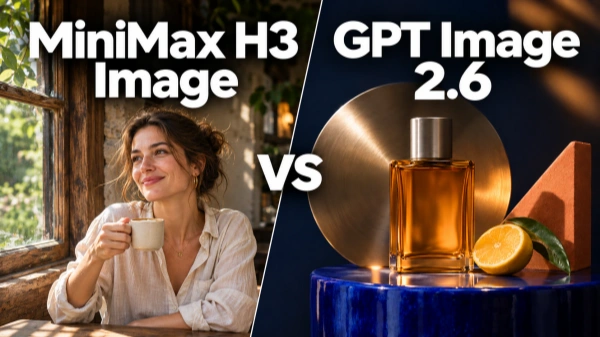
Both models generate images from text and edit images with references. Their controls and output options differ.
These are model-level capabilities. Available settings and upload limits depend on the service. Our tests used H3 Standard and GPT Sunburst at 1K. H3's native 4K capability was outside this comparison.
Capability
MiniMax H3 Image
GPT Image 2.6
Text-to-image
H3Supported
GPTSupported
Reference-based editing
H3Supported
GPTSupported
Version tested
H3H3 Standard
GPTGPT Sunburst
Test resolution
H31K
GPT1K
Test settings
H3Standard
GPTHigh quality · High complexity
Generate
Start with a text prompt for a new image.
Reference
Use images to guide identity, products, outfits, or composition.
Edit
Describe what should change and what must stay.
Match the model to the image you need
Key Differences Between MiniMax H3 Image and GPT Image 2.6
Use the patterns from these five samples as a starting point, then review the result against your own brief.
Choose GPT Image 2.6 for stronger promotional impact
- Brighter subjects and more vivid color in our images.
- Larger type and stronger hierarchy in our poster.
- Clearer information design in our product diagram.
Check before using: Strong contrast and lighting that can feel exaggerated.
Choose MiniMax H3 Image for a more understated look
- Natural poses in our reference-based fashion image.
- Restrained lighting in our product edits.
- Preserved product details across the two editing rounds.
Check before using: Dark subjects, small text, and added copy.
Matched creative tasks
How We Compared the Models
We compared five creative tasks. Each result was the first output from its request.
MiniMax H3 Image
Standard · 1K
GPT Image 2.6
Sunburst · 1K · High quality · High complexity
Tasks
Photography, poster design, product editing, multi-reference composition, and information design
Results at a Glance
Test
MiniMax H3 Image
GPT Image 2.6
Photography
Understated realism
Brighter impact and detail
Poster
Quieter treatment
Stronger type hierarchy
Product editing
Restrained, consistent styling
Richer advertising effects
Multi-reference
More natural pose
Accurate references, more rigid pose
Product diagram
Brochure-like layout
Clearer, more compact information
The findings describe these 1K samples. Other versions and higher-resolution output may produce different results.
Side-by-side image results
Five MiniMax H3 Image vs GPT Image 2.6 Tests
Compare each matched request, read what changed, and open the exact prompt used for the first result.
Photography and Visual Impact
We tested a backlit mountain portrait to compare natural realism and visual impact.
MiniMax H3 Image: A more natural, photographic look. Lighting and color felt restrained, with fine details less prominent.
GPT Image 2.6: A brighter, more eye-catching treatment. Stronger sunlight, richer color, and clearer textures made the subject stand out.
The difference: H3 leaned toward understated realism. GPT emphasized visual impact and detail.
Creative check: Match the lighting and color intensity to your project. Check that the subject stays easy to see.
Exact Prompt+
A cinematic editorial photograph of a 35-year-old female mountaineer on a dark volcanic ridge at sunrise, distant glaciers behind her. She wears a vermilion climbing jacket and holds a climbing helmet at her waist. Wind lifts a few strands of hair; her expression is calm and focused. Natural skin texture, fine frost on the jacket, warm rim light balanced by cool sky light. Medium portrait at eye level, face in sharp focus, restrained contrast and realistic color. No text.
Poster Design and Text Readability
We compared an art-event poster with fixed copy and layout requirements. Both models got the text and layout right.
MiniMax H3 Image: A quieter flower treatment and simpler shadows. Smaller type could make the venue harder to read when reduced.
GPT Image 2.6: Larger type, a more vivid flower, and richer visual structure. Shadows added interest to the open space.
Our take: GPT offered stronger promotional impact. H3’s poster would benefit from larger event details for small-screen use.
Creative check: View the poster at its intended display size. Check the smallest line first.
Exact Prompt+
Design a premium night-time art festival poster. One sculptural electric-blue iris flower fills the upper two thirds of a warm ivory canvas, with delicate coral accents and elegant shadows. Refined contemporary editorial design. Use the lower third for a clean, left-aligned navy text block. Exact headline: "MIDNIGHT BLOOM". Subtitle: "ART AFTER DARK". Event details: "FRI–SUN · 7 PM–LATE". Venue: "NORTH PIER GALLERY". Clear type hierarchy, generous spacing, no other text.
Product Editing and Lighting
We moved the same perfume product through daylight and moonlight treatments. Both preserved the product information and continuity across the edits.
Shared reference image
Round 1 · Daylight treatment
Round 2 · Moonlight treatment
MiniMax H3 Image: Simpler direct light and a restrained, natural appearance.
GPT Image 2.6: Added leaf shadows, brighter surface reflections, and more detailed light through the glass. The moonlit water also looked more refined.
Our take: Both offered useful editing paths. H3 suited understated styling; GPT brought richer advertising effects. GPT’s yellow product stood out strongly against the cool moonlit background, but that contrast felt slightly less believable.
Creative check: Keep the product label accurate. Review whether the lighting still represents its real color.
Round 1 Exact Prompt+
Create a luxury fragrance campaign photograph using this exact bottle. Place it on dark volcanic stone against a warm sandstone background, with an elegant curved architectural shadow. Low afternoon sunlight passes through the amber liquid and casts a believable glass caustic. Preserve the bottle shape, cap, label wording, and camera angle. The bottle is the clear focal point, premium minimal styling, no added text.
Round 2 Exact Prompt+
Change the setting to a cool moonlit scene. Keep the same stone pedestal, bottle position, camera angle, and framing. Add shallow still water around the pedestal and subtle silver reflections. Relight the bottle naturally for the new scene. Preserve its shape, cap, label wording, and the amber liquid. No added objects or text.
Multi-Reference Images and Natural Poses
We combined a person, an outfit, and headphones. Both preserved the reference details and followed the pose requirements.
Shared reference images
MiniMax H3 Image: The side-facing stance felt more natural. Side light brought out the jacket and headphone materials.
GPT Image 2.6: The front-facing stance looked more rigid, despite keeping the references accurate.
Our take: We preferred H3 for this fashion image. Its pose and material lighting gave the composition a more natural finish.
Creative check: Assign each reference a clear role. Check identity, product details, and body language separately.
Exact Prompt+
Create a high-end fashion editorial in a sculptural terracotta passage overlooking a turquoise sea. The woman from image 1 wears the exact blue jacket from image 2 and holds the headphones from image 3 by the headband in her right hand. Her left hand rests at her waist. Knees-up framing, face and both hands visible, strong geometric shadows, soft reflected light on her face. Preserve her identity, the jacket's orange zipper and white shoulder stripes, and the headphones' silver finish and red cushions. No text or logos.
Product Diagrams and Information Design
We tested an exploded product illustration with part labels and specifications. Both separated the components and got their order and numbering right.
MiniMax H3 Image: Short leader lines made the handle and cap relationships harder to read. It also added a heading and color information. Smaller text and generous spacing gave it a brochure-page feel.
GPT Image 2.6: Kept the requested information intact. Larger labels and a compact layout made the graphic easier to scan.
Our take: GPT was closer to a usable ecommerce graphic. H3’s concept needed clearer annotations and a review of the added copy.
Creative check: Verify every label and extra claim. Added information needs checking, even when the layout looks polished.
Exact Prompt+
Create a premium industrial-design infographic for a fictional portable lantern titled "AURA". Warm off-white background, graphite aluminum, frosted glass, and restrained amber accents. Beautiful photorealistic 3D product rendering with a precise editorial layout. On the left, show exactly four detached components in a vertical exploded view, aligned on one central axis, top to bottom: loop handle, top cap, cylindrical glass diffuser, circular LED base. Add four clear leader lines with these exact labels, each used once: "1. HANDLE", "2. TOP CAP", "3. DIFFUSER", "4. LED BASE". On the right, place a tidy specification block: "LIGHT OUTPUT: 300 lm", "RUNTIME: 12 h", "CHARGING: USB-C". Keep all text readable and all components visibly separated. No extra components or text.
Build the look your project needs
Creative Workflows for Different Projects
Use these strengths as starting points. Results depend on your prompt and references.
Ecommerce Product Photography
- Create
- Product hero images, storefront banners, and seasonal backgrounds.
- Model strengths
- H3 can support natural lighting and realistic materials. GPT can bring vivid detail and a polished advertising look.
- Check
- Product shape, labels, proportions, and color accuracy.
Fashion and Accessories
- Create
- Outfit lookbooks, accessory features, and collaboration visuals.
- Model strengths
- H3 can support natural poses and lifelike body language. Both models can combine references to guide appearance and styling.
- Check
- Facial identity, garment details, body proportions, and product placement.
Social Ads and Thumbnails
- Create
- Feed ads, video covers, and social thumbnails.
- Model strengths
- GPT can emphasize bold color and clear focal points. H3 can suit natural, relatable lifestyle imagery.
- Check
- Preview at phone size. Keep essential subjects and text inside the crop.
Event Posters and Announcements
- Create
- Exhibition posters, launch announcements, and promotional flyers.
- Model strengths
- H3 can explore understated, artistic styles. GPT can emphasize bold typography and a strong visual hierarchy.
- Check
- Exact wording, dates, locations, and small-text readability.
Product Explainers and Infographics
- Create
- Feature graphics, exploded views, and product information sheets.
- Model strengths
- H3 can help visualize product forms and materials. GPT can support structured layouts and clear information hierarchy.
- Check
- Labels, connections, specifications, and any unrequested information.
Editorial Portraits and Lifestyle Images
- Create
- Creator portraits, travel features, and lifestyle campaigns.
- Model strengths
- H3 can support natural expressions and a realistic atmosphere. GPT can emphasize lighting, color, and fine detail.
- Check
- Skin texture, subject visibility, color intensity, and lighting consistency.
Start with your subject. Shape the result.
Create with MiniMax H3 Image Online
Start from text or reference images, describe the result you need, and review the important details before downloading.
Choose Your Starting Point
Enter a text prompt or upload images for an edit.
Set the Direction
Describe the composition, lighting, and materials. State what should change and what must stay.
Generate and Review
Check the text, product details, and subject visibility. Download the result when it fits your project.
Review the estimated total before submitting
At 1K, Standard starts at 2 credits for text-to-image and 4 credits for image editing.
Common questions
MiniMax H3 Image and GPT Image 2.6 FAQs
Quick answers about model choice, test resolution, references, online access, credits, and image-to-video workflows.
Is MiniMax H3 Image better than GPT Image 2.6?+
It depends on the task. We preferred H3’s fashion pose and natural material lighting. GPT delivered stronger promotional design and clearer information in several other samples.
Were these images generated at 4K?+
No. Both models used the 1K setting. This comparison does not measure H3’s native 4K output.
Do I need reference images?+
No. Start with text for a new image. Add references when you want to preserve a person, product, outfit, or composition.
Do I need to install MiniMax H3 Image locally?+
No. Use the online H3 Image generator in your browser. Enter a prompt or upload images to start.
Open the online H3 Image generator →Can I try MiniMax H3 Image for free?+
Yes. New accounts currently receive 50 free credits. Usage depends on the model, resolution, and editing settings.
Can I turn the finished image into a video?+
Yes. Use it as the first frame in the MiniMax H3 video generator, then describe the motion you want.
Open the MiniMax H3 video generator →