Quick answer
How Do You Write a Good MiniMax H3 Prompt?
A strong MiniMax H3 prompt explains what the viewer should see and hear in the order it happens. Start with the subject and scene. Add visible actions, camera behavior, lighting, style, sound, and a clear ending.
Simple prompt formula
Subject + action + scene + lighting + camera + visual style + sound + constraints
Pick the right workflow
Choose the Right MiniMax H3 Generation Mode
The best prompt structure depends on how you want your uploaded materials to affect the result.
Text to Video
Use it when you want MiniMax H3 to create the full scene from a written description.
Image to Video
Upload a required first frame. Add an optional last frame to guide the ending composition.
Reference to Video
Use images, video, or audio to guide identity, products, motion, camera behavior, sound, or style.
A Simple MiniMax H3 Prompt Formula
- 01Subject: who or what appears?
- 02Action: what happens in order?
- 03Scene: where does it happen?
- 04Lighting: what mood and color?
- 05Camera: how is it framed and filmed?
- 06Style: what visual language?
- 07Sound: what should be heard?
- 08Constraints: what must stay stable?
[Visual style and lighting]. [Subject] is in [scene].
[Subject] performs [clear action in chronological order].
The camera uses [framing] with [one main camera movement].
Sound includes [dialogue, ambience, physical sounds, or music].
Preserve [important identity or product details].
Avoid [unwanted text, objects, motion, artifacts, or style changes].
End with [final pose, composition, or action].
Reference control
How to Use Images, Video, and Audio References
A small set of compatible references with clear roles is usually easier to control than a large mixed collection. Use the material names shown in the generator, such as @image1, @video1, and @audio1.
Output duration
Up to 15 seconds
Resolution
768P or 2K
Reference images
Up to 9
Reference videos
Up to 3 · 15s total
Reference audio
Up to 3 · 15s total
All reference files
Up to 12
Assign every reference a clear role
Use @image1 for the character's face and hairstyle.
Use @image2 for the clothing and color palette.
Use @image3 for the location and lighting.
Use @video1 for walking motion and camera timing.
Keep subjects consistent
Use the woman in @image1 as the main character. Preserve her oval face, shoulder-length copper curls, dark brown eyes, and forest-green jacket.
For multiple characters, give each person a stable name or role and use that label throughout the prompt.
Reference audio cannot be used by itself. Include at least one image or video. Audio can guide vocal or sound qualities, but it does not guarantee an exact voice copy. Only use a person's voice or likeness when you have permission.
Direct time, motion, and sound
Write Actions, Storyboards, Camera, and Sound
Describe visible events in playback order. Keep the number of actions and shots realistic for a video of up to 15 seconds.
Use a realistic shot list
Shot 1: [framing]. [Subject] performs [action].
Shot 2: Cut to [new framing and next action].
Shot 3: End on [final composition or reaction].
Use one camera idea per shot
Push in
Move closer
Pull out
Reveal more of the scene
Pan / tilt
Rotate horizontally / vertically
Truck / pedestal
Move sideways / vertically
Arc
Move around the subject
Tracking
Follow a moving subject
Static
Keep the camera fixed
Prompt sound with the picture
Write exact dialogue, identify the speaker, and place physical sounds beside the action that creates them. Describe music by mood, instrumentation, tempo, and timing.
The cup touches the saucer with a light click as the espresso machine releases a short burst of steam.
Turn emotion into visible action
Too vague
A woman feels nervous before an important meeting.
More visual
The woman checks her watch twice, taps her fingers against the folder, takes a short breath, and looks toward the closed meeting-room door.
Prompt a first-to-last-frame transition
The first frame is required. If you add an optional last frame, explain the visible change between them.
Opening state → action begins → visible transition → ending state
Begin exactly from @image1. The closed umbrella rises as the runner slides upward and the ribs spread. End in the final pose shown in @image2.
See the prompt principles in motion
MiniMax H3 Prompt Video Examples
Compare four practical workflows. Each result highlights a different way to direct references, shot order, camera movement, or frame transitions.
Example 01
Neon Laundromat Encounter
Prompt
15 seconds, 16:9 landscape. Combine a live-action late-night laundromat with hand-drawn luminous animation. The small self-service laundromat has gently flickering fluorescent lights, running washers, plastic baskets, a worn bench, and one sock on the floor. Keep the space quiet and faintly nostalgic. Use a one-handed phone-camera feel with visible shake, exposure fluctuation under white fluorescent light, environmental reflections in glass, and delayed autofocus at close range. Avoid polished commercial composition; it should feel like an authentic late-night encounter, filmed while following a strange apparition.
Generated result
Prompt techniques
- Establish the location and mood first.
- Describe specific props and environmental motion.
- Use camera imperfections to define the visual style.
Example 02
Multi-Reference Brand Film
Reference images
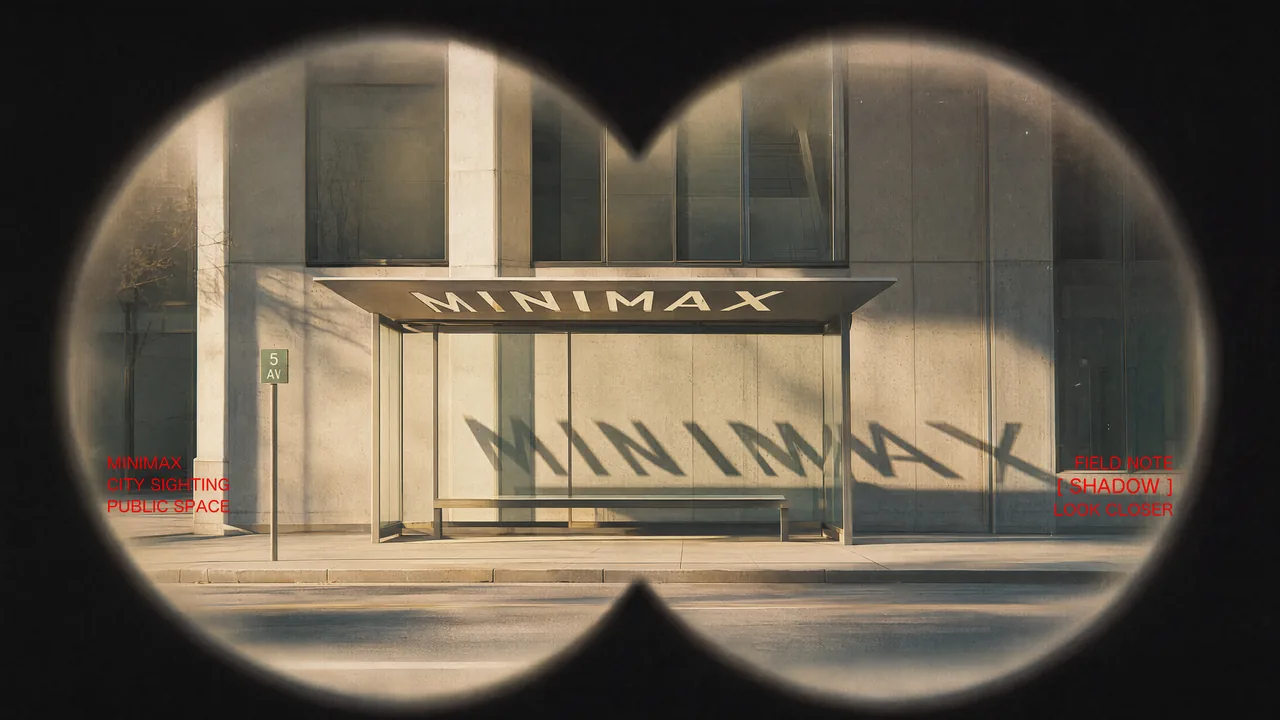
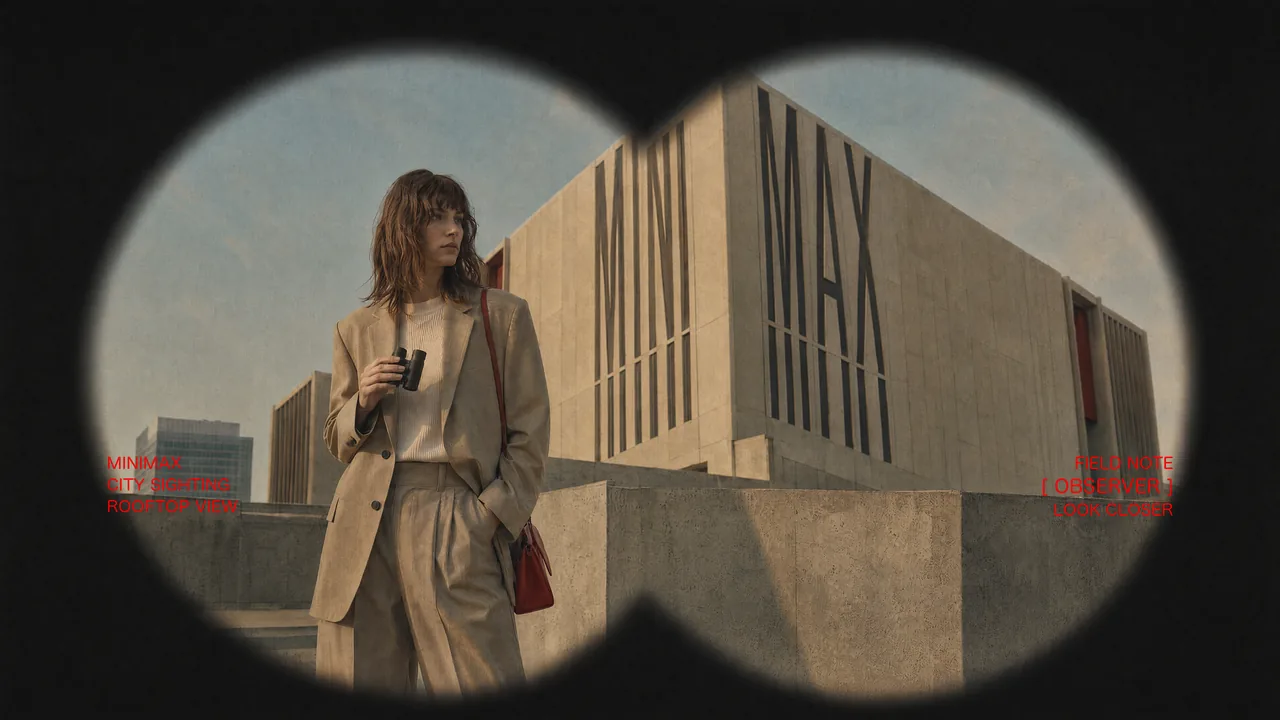
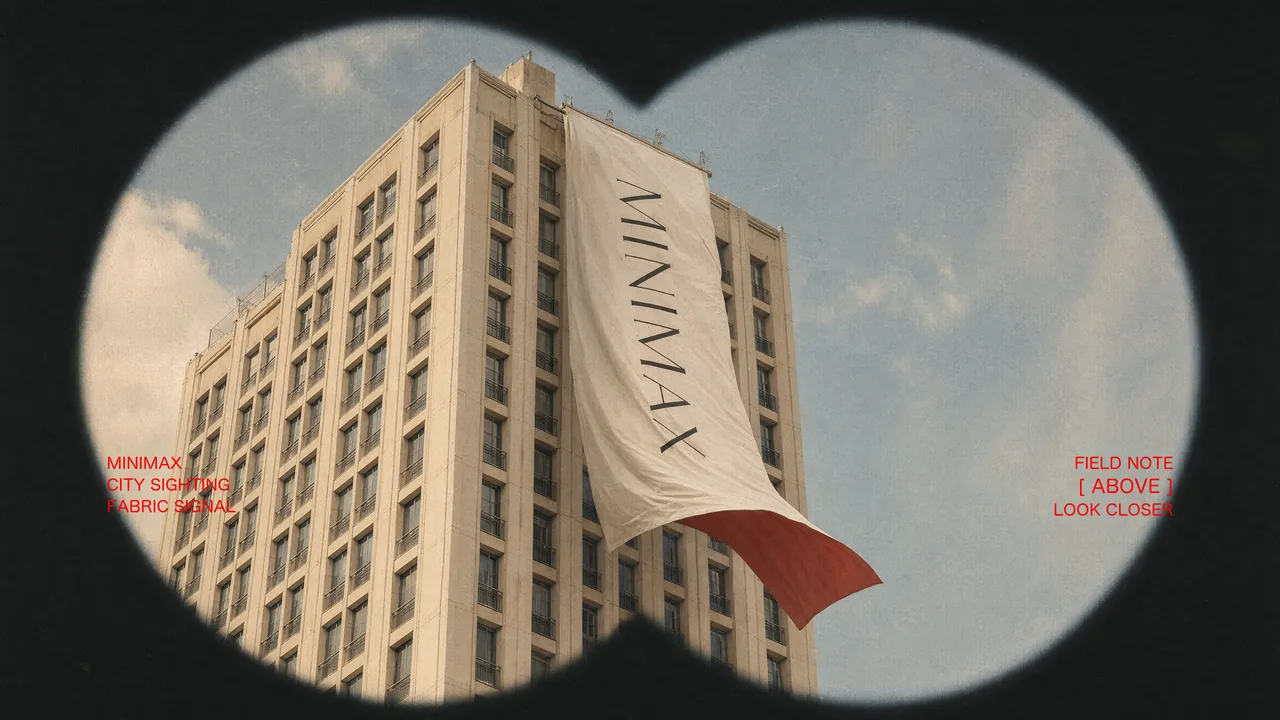
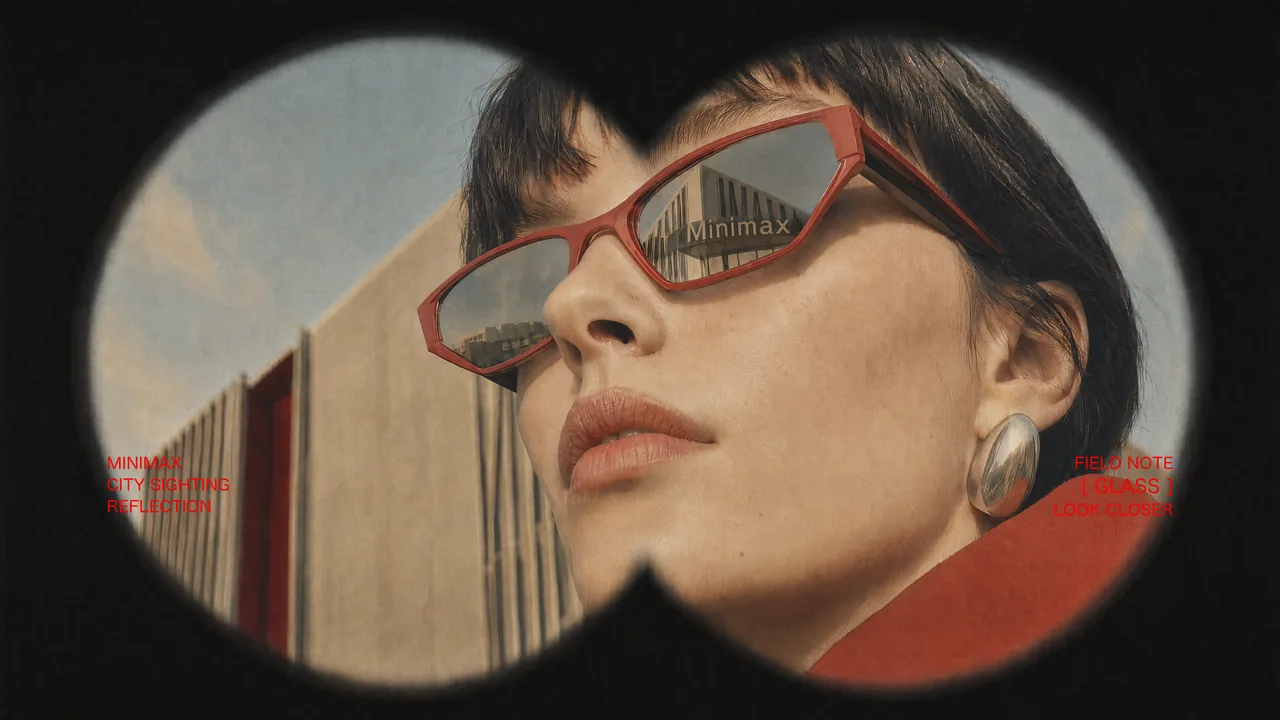
Prompt
Use Images 1–4 as sequential keyframes, seen through a vintage binocular viewfinder searching for the MINIMAX installation. Open out of focus with subtle handheld shake, then push in quickly and rack focus onto Image 1. Between keyframes, use fast binocular-scan transitions with whip movement, motion blur, optical smearing, and brief exposure flicker. Keep the twin circular lens mask fixed throughout. Preserve the core composition and MINIMAX installation exactly.
Generated result
Prompt techniques
- Give every image a sequence position.
- Separate fixed elements from moving content.
- State what must remain unchanged.
Example 03
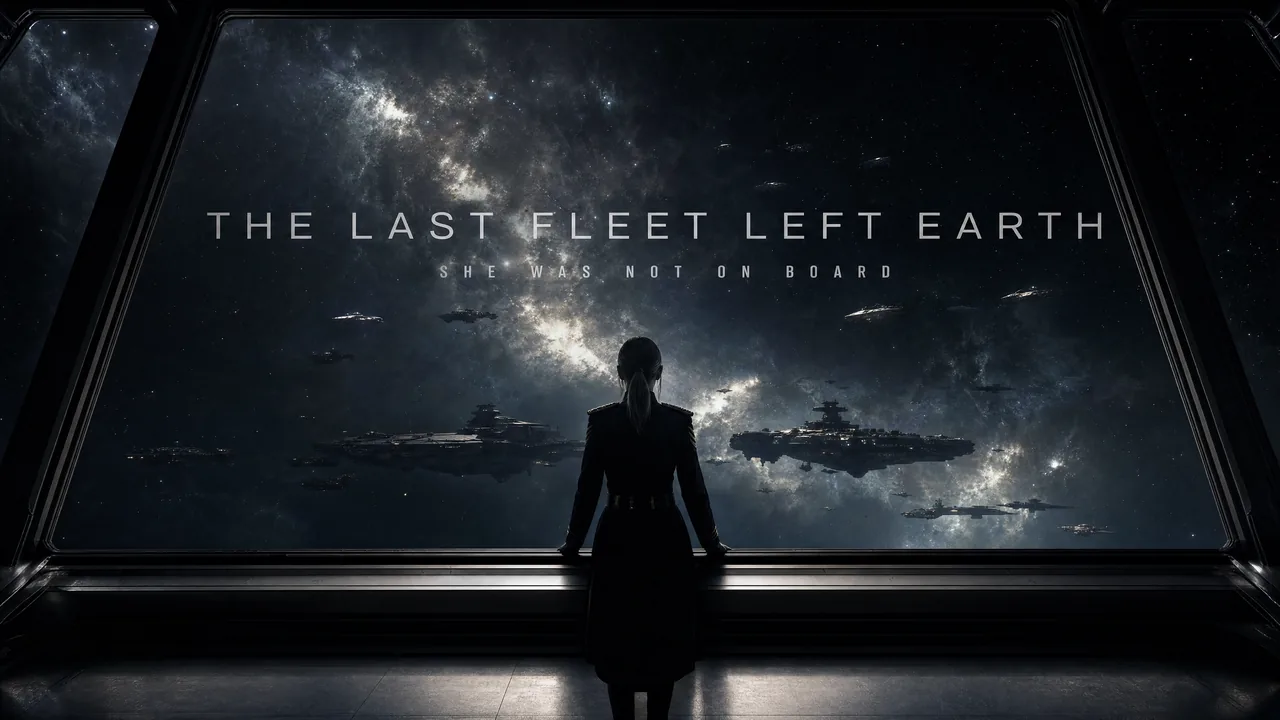
Cinematic Teaser
First frame
Prompt
Epic theatrical space-opera teaser. Keep the pace fast and the scale enormous. Use sharp hard cuts, a shaking command deck, white-hot flashes, split-second black frames, and a violent jump-to-warp impact. Title cards should use wide-tracked cinematic typography with restrained material texture, subtle illumination, and a faint edge glow.
Generated result
Prompt techniques
- Define pacing before individual shots.
- Use concrete transition language.
- Describe typography as part of the motion.
Example 04
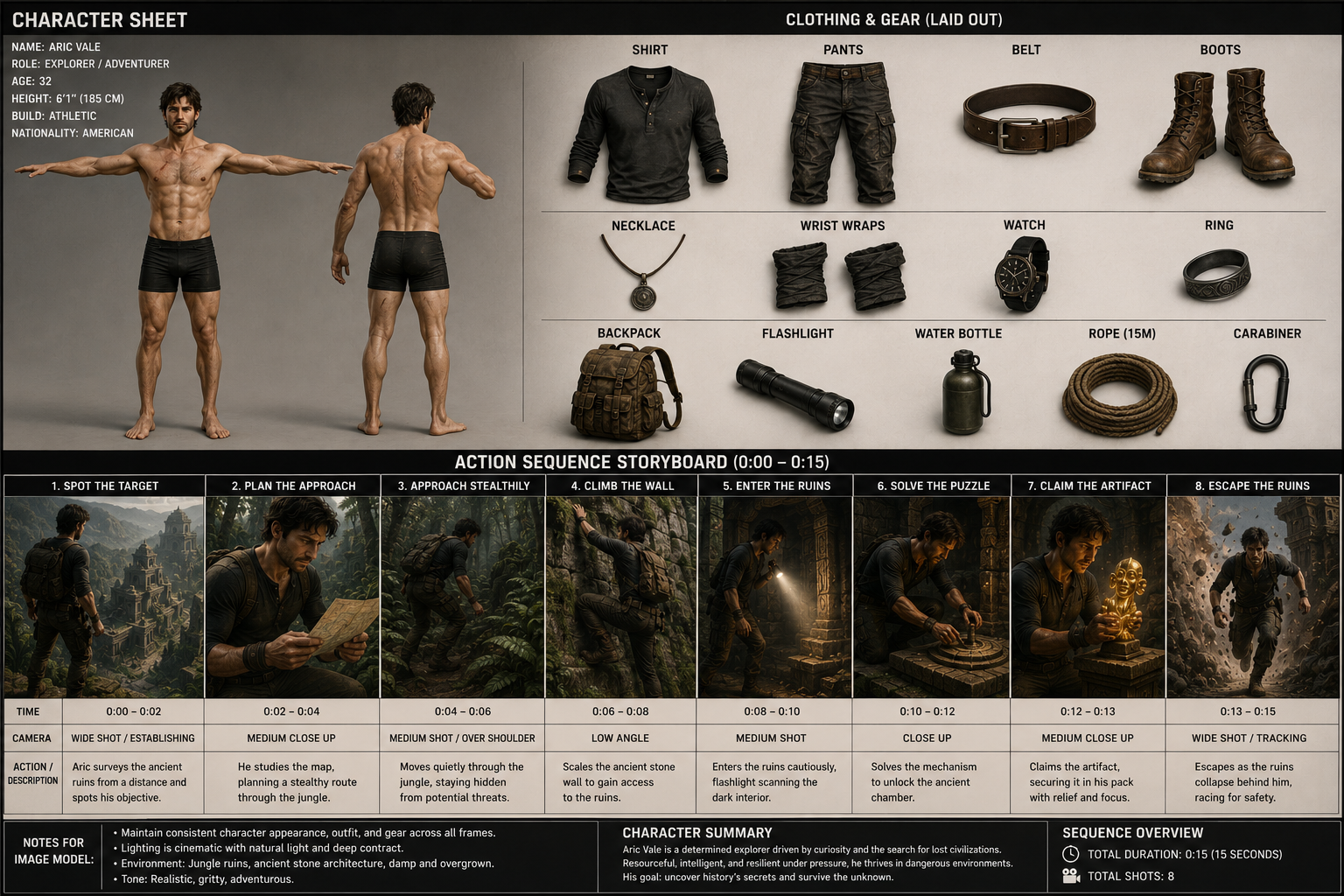
Storyboard Reference
Storyboard image
Prompt
Use the upper character sheet to define Aric Vale's face, dark tousled hair, stubble, athletic build, clothing, and gear. Maintain his identity and outfit throughout. Use the lower storyboard as visual guidance for the adventure sequence, from spotting the ruins and planning the route through climbing, exploring, claiming the artifact, and escaping. Keep the character, environment, and cinematic style consistent.
Generated result
Prompt techniques
- Explain what each area of the sheet controls.
- List events in chronological order.
- Repeat the identity details that must persist.
Example 05
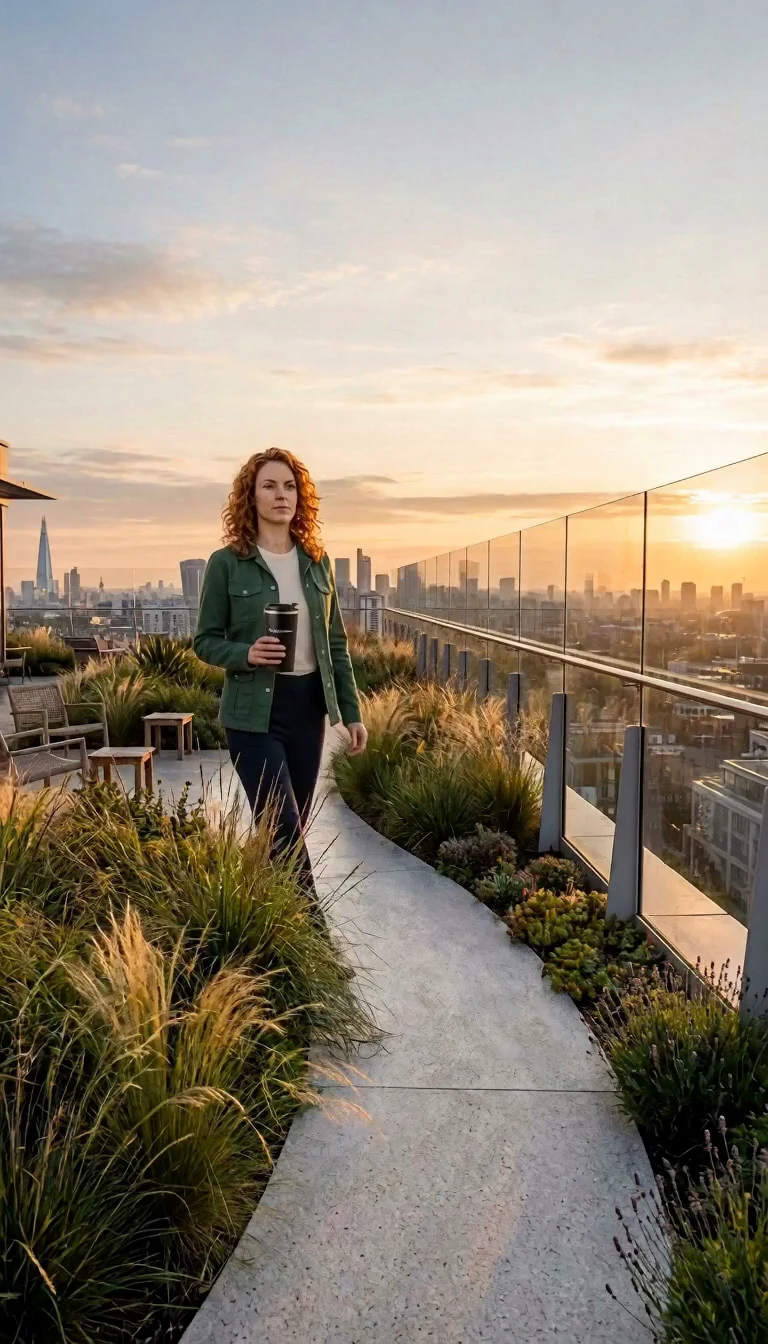
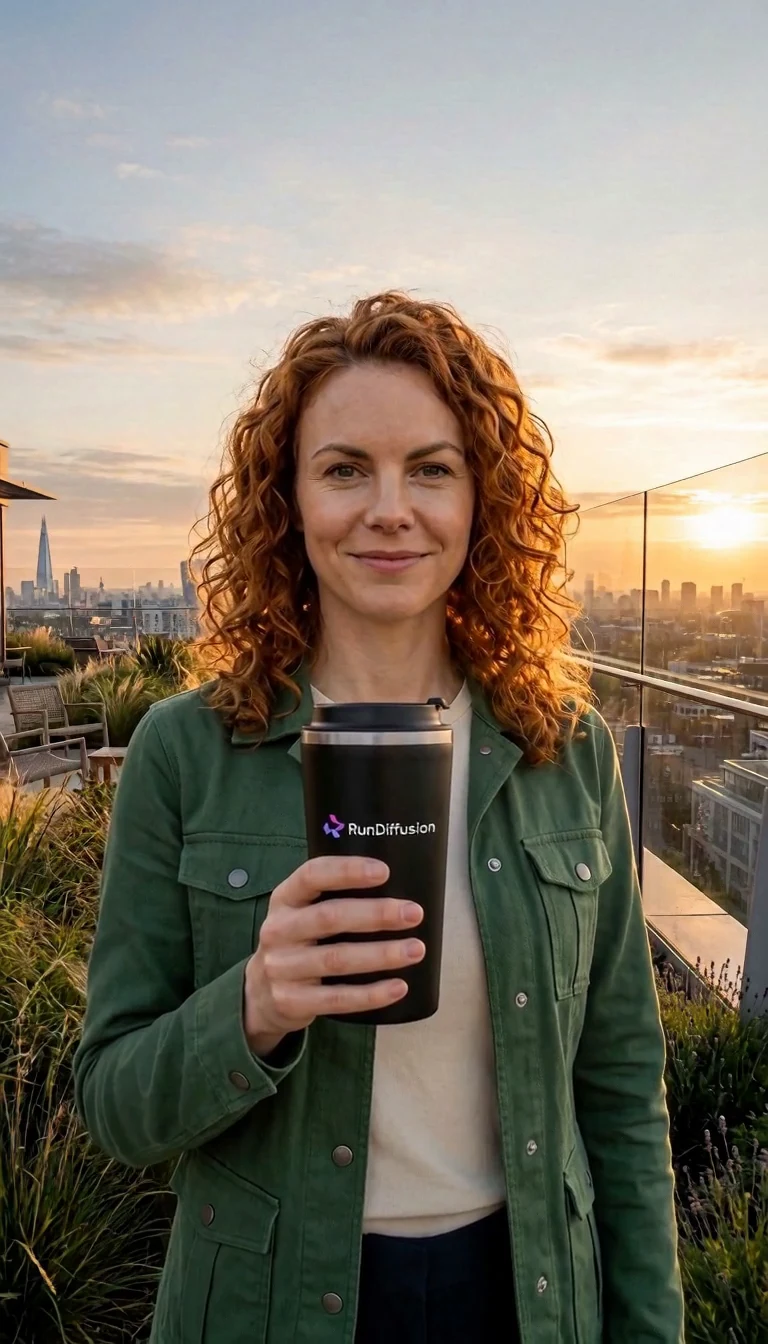
First and Last Frame Transition
First and last frames
Prompt
Begin exactly from Image 1 and preserve the woman's identity, green jacket, cream shirt, matte-black cup, rooftop garden, and sunrise direction. She takes three measured steps while the camera follows one slow half-orbit. She raises the cup, looks toward the camera, and gives a restrained smile. Converge precisely on Image 2, matching its framing, pose, product placement, and warm horizon.
Generated result
Prompt techniques
- Describe the motion between both frames.
- Use one continuous camera path.
- Name the details that must match at the end.
Copy, adapt, and test
MiniMax H3 Prompt Examples
Use these examples as a starting structure. Replace the subject, scene, references, and direction with details that match your own video.
Text to Video
Text-to-Video Product Shot
Premium cinematic product video in a dark studio. A matte-black perfume bottle stands on wet stone as a narrow warm light moves across the glass. The camera makes a controlled half-arc from left to right. Fine mist drifts behind the bottle. Keep the bottle shape and label stable. No extra text or objects. End on a centered close-up.
Image to Video
Image-to-Video Portrait
Begin exactly from @image1. The woman takes a slow breath, lifts her eyes toward the window, and turns her head slightly as soft daylight moves across her face. Use a gentle push-in. Preserve her identity, hairstyle, clothing, and the room layout. Add quiet room tone and distant rain.
Reference to Video
Multimodal Reference
Use @image1 for the woman's identity and green jacket. Use @image2 for the rooftop garden and sunrise lighting. Use @video1 for her walking pace and the slow tracking camera. Use @audio1 for the calm vocal tone. She walks three steps, raises the cup, looks at the camera, and says, "Take the morning with you."
Reference to Video
Three-Shot Storyboard
Use @image1 for the main character and @image2 for the nighttime station. Shot 1: Wide tracking shot as she walks along the wet platform. Shot 2: Close-up of the ticket as her fingers tighten. Shot 3: She looks up and steps toward the arriving train. End as warm carriage light reaches her face.
Fix weak generations
Common MiniMax H3 Prompt Mistakes
Most inconsistent results come from ambiguity, conflicting instructions, or too much action for a short clip.
Unassigned references
Give every uploaded image, video, and audio file a clear role.
Too many actions
Keep one main action or divide the idea into a realistic shot sequence.
Conflicting camera directions
Choose one main camera behavior for each shot.
Abstract emotion
Describe posture, breathing, gaze, expression, and hand movement.
Long dialogue
Shorten the line and leave time for breathing and reactions.
Contradictory references
Use compatible materials or state which feature comes from each file.
Improve Results One Step at a Time
1Prove the subject, scene, lighting, and overall style.
2Add the main action and check motion continuity.
3Add one main camera direction.
4Add short dialogue, sound, or music.
5Introduce one new reference or shot at a time.
6Generate the final version at the desired resolution.
MiniMax H3 Prompt Checklist
The main subject is clearly identified.
Every uploaded file has a stated role.
Actions appear in playback order.
The shot count fits the selected duration.
Each shot has one main camera idea.
Identity and product details are preserved.
Dialogue is short enough to fit.
Sound is connected to visible events.
The ending has a clear composition.
Conflicting instructions have been removed.
Frequently asked questions
MiniMax H3 Prompt Guide FAQs
What is the best MiniMax H3 prompt structure?+
Start with the subject, visible action, scene, lighting, camera movement, visual style, sound, and constraints. Write events in the order the viewer should see them.
How detailed should a MiniMax H3 prompt be?+
Use enough detail to remove ambiguity. A short prompt can work well with one subject, one action, one scene, and one camera movement. Add detail when you need consistency, multiple shots, dialogue, or reference control.
How do I reference an uploaded file in a MiniMax H3 prompt?+
Use the material name shown in the generator, such as @image1, @video1, or @audio1. Then explain what that file should control.
Can MiniMax H3 use a storyboard?+
Yes. Upload a storyboard as one or more reference images and explain which shot order, framing, subject placement, or visual direction it should guide.
How do I keep a character consistent in MiniMax H3?+
Use clear reference images and describe stable features such as facial structure, hairstyle, clothing, and accessories. Use the same character label throughout the prompt.
Can MiniMax H3 use video and audio references together?+
Yes. Reference-to-Video can combine images, video, and audio. Audio cannot be used alone; include at least one reference image or video.
How do I prompt camera movement?+
Use a standard camera term such as push in, pull out, pan, tilt, tracking, arc, or static. Choose one main movement per shot.
Why does my MiniMax H3 video look inconsistent?+
Common causes include conflicting references, too many actions, unclear reference roles, several camera movements in one shot, and identity details that are not explicitly preserved.