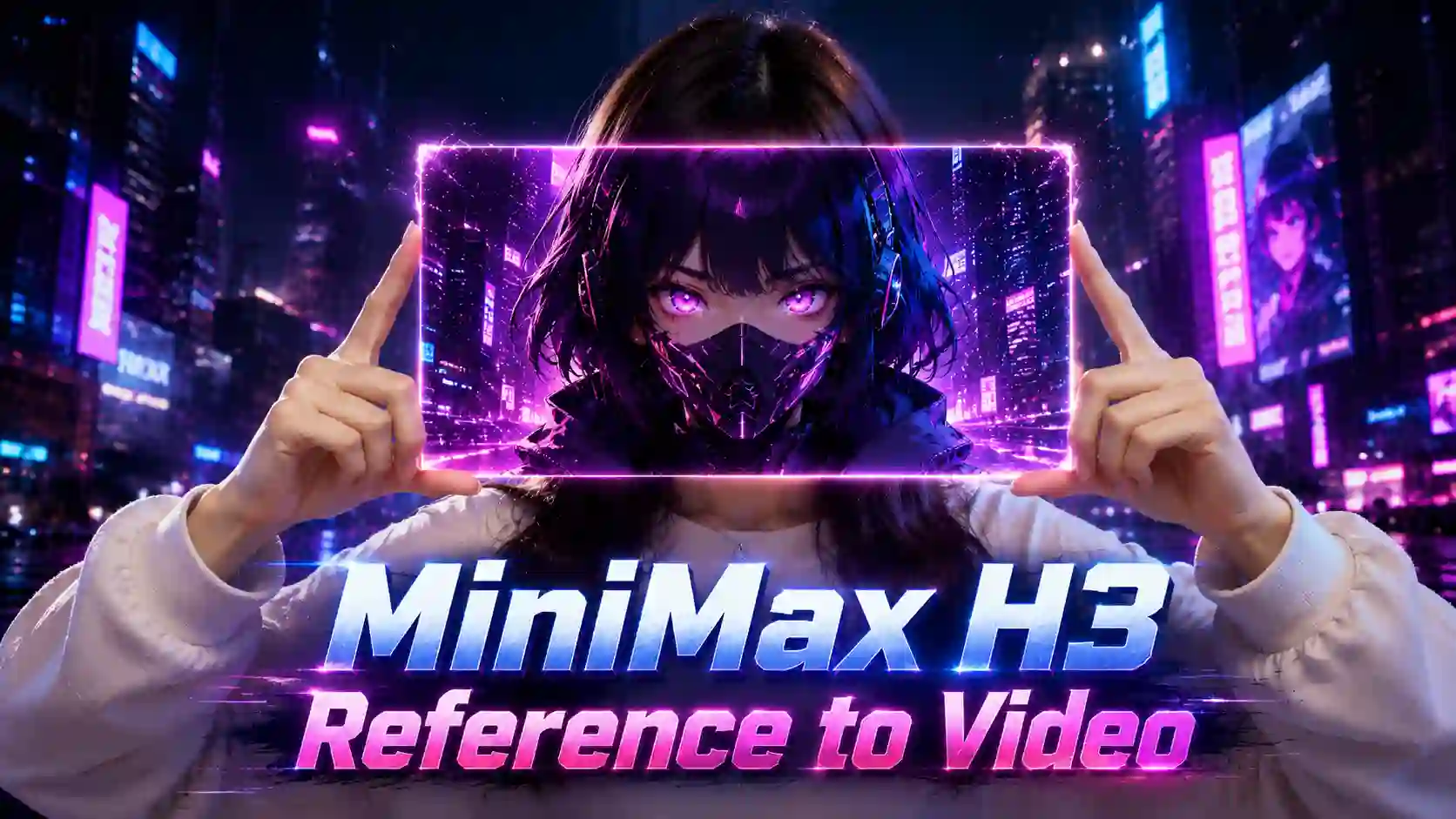
TL;DR: Choose the Reference by What You Need to Control
Different references solve different creative problems.
Your Goal | Best Starting Workflow |
Animate one static scene | Image-to-video |
Preserve a character | Multi-image reference |
Combine several visual assets | Reference-to-video |
Lock the beginning and ending | First & last frame |
Copy body movement | Video reference / video-to-video |
Follow camera movement | Video reference / video-to-video |
Change a character but keep motion | Video-to-video workflow |
Follow music or vocals | Audio reference |
Combine identity, motion, and sound | Image + video + audio references |
A useful rule is:
Images describe what something looks like.
Video describes how something behaves.
Audio describes how the scene should sound or move.
Prompt tells H3 what to do with them.
What is MiniMax H3 Reference-to-Video?
References turn open-ended generation into a controlled production task.
MiniMax H3's reference workflow creates a new video from a text prompt plus supported image, video, or audio references. MiniMax describes reference media as useful for controlling character, motion, camera, style, voice, and editing rhythm.
On MiniMax-H3.com you can add up to 9 reference images, 3 reference videos, and 3 audio files, with up to 12 mixed materials in one reference workflow. And supports 2K generation and 5–15 second creative workflows.
The important part is not how many files you can upload.
It is whether each file answers a different question.
For example:
Image 1: Who is the character?
Image 2: What does the outfit look like?
Video 1: How should the character move?
Audio 1: What rhythm should drive the performance?
Prompt: Where should all of this happen?
That is a much stronger starting point than uploading several unrelated files and hoping H3 decides how to use them.
Reference-to-Video and Video-to-Video: Two Related Workflows
Reference-to-video defines the input system; video-to-video defines what you want the source video to contribute.
MiniMax H3 video-to-video is becoming more important because creators increasingly want to start with existing footage instead of generating every action from zero.
In practical terms:
Reference-to-Video
Borrow a character
Borrow a visual style
Follow camera behavior
Use motion as guidance
Combine several assets
Video-to-Video
Replace a subject
Transfer motion from existing footage
Rebuild a scene around the same action
Change the environment or style
Preserve useful timing or camera behavior
MiniMax H3 highlights Video to Video motion transfer as one of H3's capabilities.
Multi-Reference Fusion Test: Combining Creative Assets in One Video
More references only work with clear roles.
One real test combined multiple references into a single creative video rather than relying on one starting image.
The important observation was not simply that H3 accepted several inputs. The resulting video showed that different reference elements could be reorganized into one visual composition instead of behaving like disconnected pieces.
This is the real value of a multi-reference AI video workflow.
Instead of writing every visual detail into the prompt, creators can divide control between assets:
Character Reference → Identity
Environment Reference → World
Video Reference → Motion
Prompt → Final Scene
💡 Best Practice
Step 1: Record a Simple Motion Reference
Record a clean 5-second phone video:
Hands closed → pull apart → rotate → hold
No special lighting or complex setup is needed. Keep the camera static and make the hand movement easy to see.
Step 2: Generate Each Effect Separately
One generation, one visual task.
Do not create multiple color or style versions in one generation.
Splitting the task gives H3 fewer things to solve at once and usually produces cleaner results.
Step 3: Give Each Reference One Job
Keep identity, motion, and visual style separate.
@Image1 → person, clothing, background
@Video1 → hand motion and timing only
@Image2 → content inside the panel only
Do not let the motion video or panel image change the subject's face, outfit, or environment.
Step 4: Make the Panel Follow the Hands
Treat the panel like a real sheet held by four fingertips.
Use:
Index fingers → top corners
Thumbs → bottom corners
The panel should follow the hands continuously:
0–1s: closed
1–3s: expand
3–4s: rotate
4–5s: hold
Its size, angle, and rotation should move with the fingertips without floating or lagging.
Step 5: Change Only the Panel
Keep the real scene stable and stylize only the rectangle.
Inside the panel, follow @Image2 for the character, mask, color, and visual style.
Outside the panel:
Keep @Image1 realistic
Keep the head still
Keep the expression neutral
Lock the camera
Keep lighting unchanged
Recommended output:
5 seconds · 24 FPS · 2K · @Image1 aspect ratio
Simple Prompt Structure
A cleaner prompt can follow this order:
Reference Roles → Identity → Motion → Panel Behavior → Panel Style → Camera
For example:
@Image1 defines the subject, clothing, and background. @Video1 provides hand motion and timing only. @Image2 defines the content inside the rectangular panel. Attach the four panel corners to the thumbs and index fingers so it expands and rotates with the hands. Keep everything outside the panel realistic and unchanged. Use a locked camera and consistent lighting.
Then add only the style variation you need:
dark navy, electric blue rim light, cyan circuit details.
Final Workflow
Record Motion → Assign References → Generate Separately → Lock the Panel to the Hands → Keep Everything Else Stable
Video-to-Video Test: Motion and Perspective Transfer
A video reference captures behavior, not just position.
The strongest video-to-video example in the test material showed why video references can provide much more control than a still image.
H3 did not only reproduce visible movement. The output also handled details such as:
Object motion
Shadows
Environmental perspective
Spatial relationships
The final scene maintained a strong visual relationship with the source footage while adapting it into the new result.
That makes MiniMax H3 video-to-video workflow useful for searches around:
AI motion transfer
video motion reference
camera motion transfer
and character replacement video
A video reference can contain several layers of information at once:
Motion — what moves
Timing — when it moves
Camera — how the scene is observed
Perspective — how space changes
Interaction — how subjects and objects affect each other
This is why video-to-video should not be treated as simple pose copying.
First-and-Last-Frame Test: Structure-Aware Transition Control
Two frames. One seamless transition.
First-and-last-frame generation solves a different problem from multimodal reference-to-video.
In our test, H3 reproduced the endpoint images closely while generating a natural transition between them. More importantly, the intermediate motion reflected details such as material appearance, object structure, spatial relationships, and visual continuity, rather than behaving like a simple image morph.
That is what makes first-and-last-frame generation useful for:
Product transformations
Before-and-after scenes
Environment changes
Fashion transitions
Poster animation
Visual reveals
Controlled shot endings
💡 Better Prompt Logic
Instead of:
Turn Image 1 into Image 2.
Think:
Starting state → visible physical change → evolving structure → final state
The middle matters just as much as the endpoints.
Important Workflow Limit
First/last-frame generation and multimodal Reference-to-Video are separate input modes in the current H3 V2 workflow. Reference images, videos, or audio cannot be mixed with first/last-frame inputs in the same generation request.
Character Reference Test: Multi-Angle Consistency and Detail Control
Show H3 the details you do not want it to invent.
Another test used a character reference set containing different angles and multiple accessories together with a relatively complex instruction.
The result retained character and accessory details with strong consistency despite the amount of visual information being supplied.
This matters for anyone searching for MiniMax H3 character consistency, because a single portrait cannot always answer every visual question.
A practical character reference pack can include:
Reference | Useful Control |
Front portrait | Face, hair, makeup |
Side view | Facial profile |
Full-body image | Proportions and clothing |
Detail image | Jewelry, accessories, props |
💡 Best Practice
If a detail matters commercially or narratively, show it instead of describing it repeatedly.
That can be especially useful for recurring performers, virtual influencers, fashion looks, game characters, and branded mascots.
Image-to-Video Tests: When One Reference Is Enough
Use only the references you need.
Drawing Process Reconstruction
A finished illustration was used as the visual source, and H3 inferred a plausible animation showing how the artwork could be created.
The test suggests strong understanding of the final image rather than simply adding generic motion to it.
Game Poster Animation
A static GTA-style game poster was turned into moving footage while retaining the visual style and overall identity of the original design.
Both cases have something in common:
The starting image already tells H3 most of what it needs to know.
So if your request is simply:
Animate this visual.
Image-to-video may be enough.
Audio Reference Test: Turning Music Into Visual Direction
Audio can guide the visuals too.
H3 used music as a reference for an MV-style generation, producing character movement, lip synchronization, and visual direction that followed the overall musical style.
This expands Reference-to-Video beyond visual control.
The relationship becomes:
Music → Rhythm → Performance → Visual Energy
That is useful for AI music videos, performance clips, audio-driven video, singing-character content, and beat-responsive social video.
MiniMax H3 Music Video Guide 👉
How to Prepare Better References for MiniMax H3
Cleaner input reduces creative ambiguity.
Before generating, review every asset with four questions.
1. What is this reference responsible for?
Do not upload an asset simply because it looks relevant.
Give it a job.
2. Is the important information easy to see?
If motion is the goal, use a clip where the action is clear.
If identity is the goal, avoid heavily obstructed character references.
3. Are the references contradicting each other?
Two references showing different clothing, proportions, or environments can create ambiguity if both are supposed to define the same subject.
4. Can the workflow be simpler?
If one image already contains everything important, start with image-to-video.
The best reference set is not the largest set.
It is the smallest set that removes the important uncertainty.
A Better Prompt Structure for Reference-to-Video
Preserve, transfer, change, then describe the result.
A useful H3 reference prompt structure is:
Reference Role + Preserve + Transfer + Change + Final Scene
For example:
Use Image 1 for the character's face and outfit. Use Video 1 for body movement and camera timing. Preserve the character's identity and clothing. Transfer the running action into a rainy futuristic street while keeping the same tracking-camera rhythm.
The prompt has four clear decisions:
Preserve — face and clothing
Transfer — movement and camera
Change — environment
Generate — final target scene
That is more useful than making the prompt longer without making the relationships clearer.
Reference Less, Control More
Reference-to-video changes the relationship between the creator and the AI model.
Instead of:
Prompt → Model guesses → Video
you can work from:
Existing assets → Defined roles → Controlled generation
Start with a character, product image, short movement clip, or piece of music you actually want to use.
Decide what should stay the same, what should transfer, and what should change.
Try MiniMax H3 Generator NOW 👉
MiniMax H3 Reference Workflow FAQs
Can H3 use a reference video's motion without copying its style?
Yes. Tell H3 that the video controls motion or camera only, then define the desired appearance separately with an image reference or prompt.
Can I continue an existing H3 video from its final frame?
For tighter visual continuity, extract the previous video's final frame and use it as the starting frame of the next generation. A video reference alone is better treated as behavioral guidance than a guarantee of frame-perfect continuation.
Can I use the same character reference pack across multiple videos?
Yes. Reusing the same clean identity references is a practical way to keep a campaign, character series, or recurring creator visually related, although individual generations can still vary.
Can H3 keep the original background while transferring only motion?
It can be requested. Explicitly state that the reference video is for motion only and that the environment, composition, or background must remain unchanged.
Does video-to-video reproduce the source footage exactly?
No. H3 generates or edits based on reference context; it is not conventional frame-by-frame motion tracking. Expect some interpretation, especially in complex interactions or large visual transformations.
Should I use a highly edited video as a motion reference?
Usually a simpler clip is easier to control. Heavy cuts, rapid camera changes, and multiple competing actions can make it less obvious which motion or timing pattern you want H3 to follow.