A good baking video makes each action easy to follow and the finished cake worth watching. MiniMax H3 can help turn a recipe, cake photos, and motion references into short clips for tutorials, bakery promotions, and social posts.
Start with a tested recipe, then plan how to show it.
This guide explains how to create AI videos about how to bake a cake, from clear recipe sequences to creative reveals and reusable technique lessons.
TL;DR:AI Baking Video Guide
Plan one action per clip. Separate pouring, frosting, piping, and slicing into readable shots.
Assign references specific jobs. Use images for appearance, video for movement, and audio for sound direction.
Track the cake between shots. Its layers, filling, decoration, and preparation stage should stay coherent.
Build several formats from one recipe: a tutorial, cake promo, detail lesson, or baking ASMR video.
Try MiniMax H3 Generator Online
Why Choose MiniMax H3 for AI Baking Videos
Give every reference a clear role.
One of MiniMax H3’s key strengths is understanding creative instructions and translating reference information into video. It connects context across text, images, video, and audio to guide how a scene looks, moves, and sounds.
Explore MiniMax H3’s Capabilities
For baking videos, this helps turn recipe descriptions into concrete visual direction:
which tool acts on which ingredient
how the movement unfolds
what change viewers should see
Combined with native stereo sound, this makes H3 useful for presenting cake-making steps and details.
Creative need | Useful direction |
A recognizable cake | Reference photos define its shape, colors, and decoration. |
A clear operation | A short motion reference guides the action or camera movement. |
An engaging soundscape | Describe the relevant utensil sounds, ambience, or narration. |
Use these controls to guide a result, then check the food, hands, tools, and sound together.
When using an AI cake video generator, accurate details matter as much as an attractive finish.
Turn a Cake Recipe into a Step-by-Step AI Video
Turn each recipe step into one readable action.
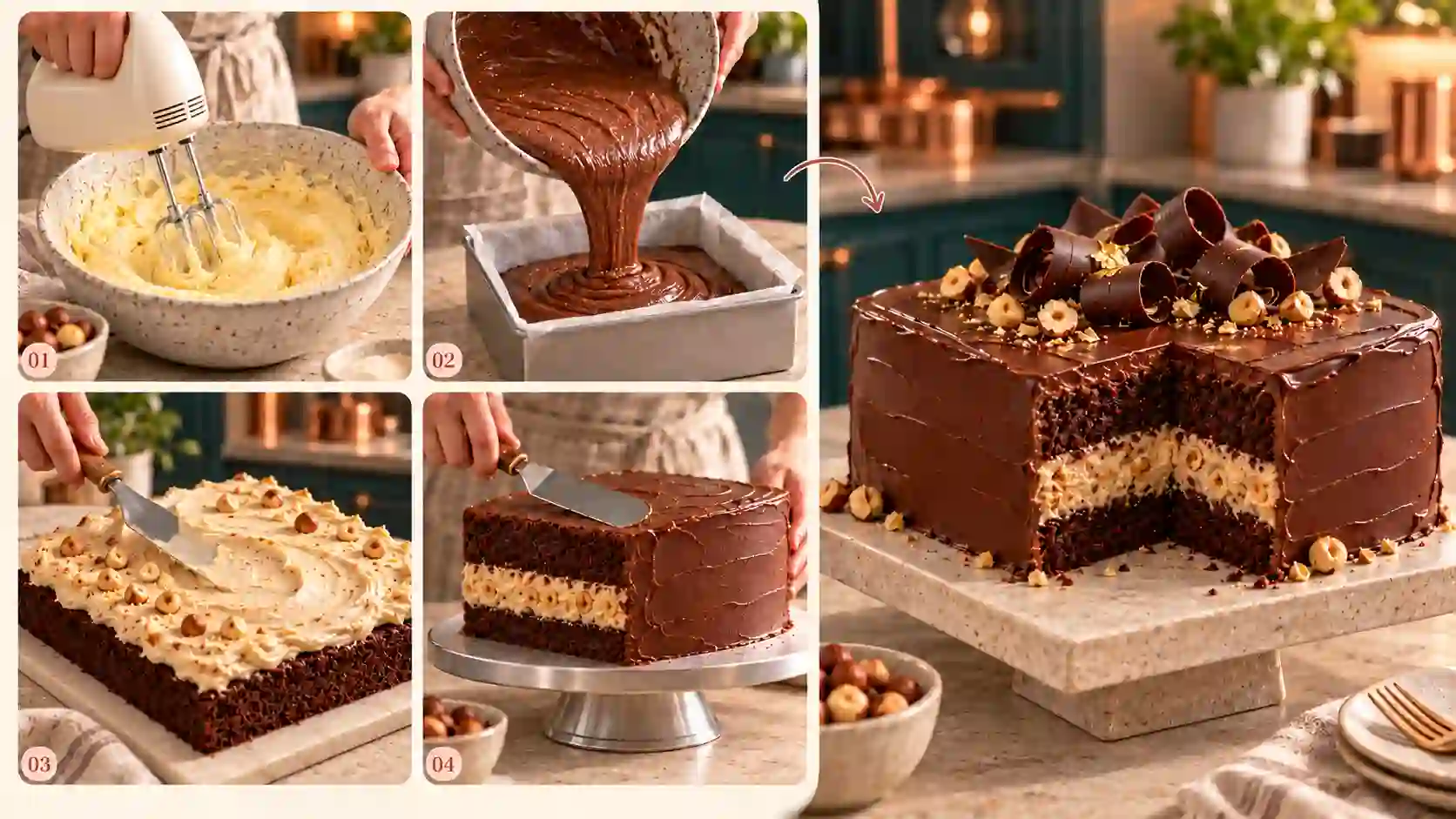
Choose a Recipe and a Viewing Goal
Keep the recipe’s ingredients, quantities, temperatures, and timing in a separate production note. Those facts guide your captions and narration.
Then choose what viewers should learn:
Recipe walkthrough: follow the main preparation stages.
Decorating tutorial: focus on filling, frosting, and finishing.
Short recap: show selected highlights and link to the full recipe.
💡 Prompt tip:
Name the specific operation and its starting condition.
“Pour the prepared chocolate batter into the lined round pan” gives clearer direction than “make a delicious cake.”
❕ Avoid:
Combining incompatible techniques from different recipes or asking the model to invent baking instructions.
Build a Shot List Before Generating
Select the actions viewers need to see. A simple plan for turning a recipe into an AI video might look like this:
Shot | Show | Camera purpose |
Preparation | Arrange the measured ingredients and prepared pan | Establish the setup |
Mixing | Demonstrate one mixing action required by the recipe | Make the movement visible |
Filling | Pour or transfer batter into the pan | Show contact and consistency |
After baking | Present the baked cake at the appropriate stage | Establish the time jump |
Decorating | Apply filling, frosting, or one decoration | Explain a finishing technique |
Finished cake | Reveal the whole cake or a slice | Confirm the final appearance |
Use overhead framing for the work area and closer views for texture. Keep the camera steady during important hand movements.
💡 Prompt tip:
Describe one camera behavior per operation: a fixed overhead view, a steady close-up, or a slow final reveal.
❕ Avoid:
Asking one short generation to mix batter, bake the cake, decorate it, and serve it. The missing stages make the sequence harder to follow.
Prepare References and Assign Their Roles
Open the MiniMax H3 Reference to Video tool. Upload only the materials needed for the current shot, then use the file labels shown in the prompt field.
Image reference: the cake, bowl, pan, worktop, or visual style.
Video reference: the intended hand movement or camera path.
Audio reference: relevant sound, ambience, or delivery style, accompanied by a visual reference.
For a pouring shot, a photo can define the bowl and pan while a short recording guides the pouring movement. Keep finished-cake references separate from the batter’s current appearance.
💡 Prompt tip:
State what each reference controls and what should remain unchanged.
Preserve practical details such as pan size, utensil color, and worktop layout.
❕ Avoid:
Letting a motion reference unintentionally dictate a different kitchen, cake design, or outfit.
Generate One Short Operation and Inspect It
Start with a short draft. Check whether the action is readable before increasing duration or output resolution. The tool offers 768P and 2K output; choose the final setting after approving the movement.
💡 Illustrative prompt:
Use @image1 for the bowl, lined round pan, and worktop. Use @video1 only for the pouring motion. Show prepared chocolate batter flowing from the tilted bowl into the pan in a steady overhead close-up. Preserve the pan’s shape and keep both hands anatomically natural. Add quiet kitchen ambience and a soft pouring sound.
Review the action:
Does the batter come from the bowl and land inside the pan?
Do the hands hold the utensil consistently?
Does the food behave like the intended mixture?
Does the camera let viewers understand the operation?
If one detail fails, simplify that shot or replace the relevant reference. For a technique that must be demonstrated precisely, use a verified real close-up and build supporting AI visuals around it.
Assemble the Tutorial and Explain Elapsed Time
Join the approved clips in an editor. Use clear cuts or captions to distinguish preparation, baking, cooling, and decorating. Add recipe-specific quantities and temperatures as checked text overlays.
Keep waiting periods honest: a short edit can skip time, but viewers should understand that time passed. Cake layers should be fully cool before a crumb coat is applied.
💡 Prompt tip:
Specify each shot’s endpoint so the next clip has a clear starting state.
❕ Avoid:
Showing frosting on a still-steaming cake or a finished slice whose layers differ from the cake assembled earlier.
Show the Details: Build Reusable Cake-Making Micro-Lessons
Show the detail that makes the instruction useful.
A full tutorial explains the sequence. A micro-lesson makes one difficult detail visible. This is where an AI baking tutorial can offer lasting value beyond a quick finished-cake reveal.
Use a Cake-State Sheet to Plan Continuity
Before generating, record what exists at the start and what changes during the action.
Detail clip | Starting state | Intended change | Keep consistent |
Batter transfer | Prepared batter in a bowl | Batter moves into the pan | Color, consistency, bowl, pan |
Filling a layer cake | Cooled layers ready to assemble | Filling spreads over one layer | Diameter, layer count, filling color |
Crumb coating | Assembled cake with exposed sides | A thin coating covers the surface | Cake height, edges, stand |
Piping a border | Frosted cake with an undecorated edge | A border grows along that edge | Nozzle shape, frosting color, pattern size |
Use this sheet to compare neighboring shots. Decorations should accumulate where the tool passes; finished areas should not disappear or reset.
Make Each Lesson Answer One Visual Question
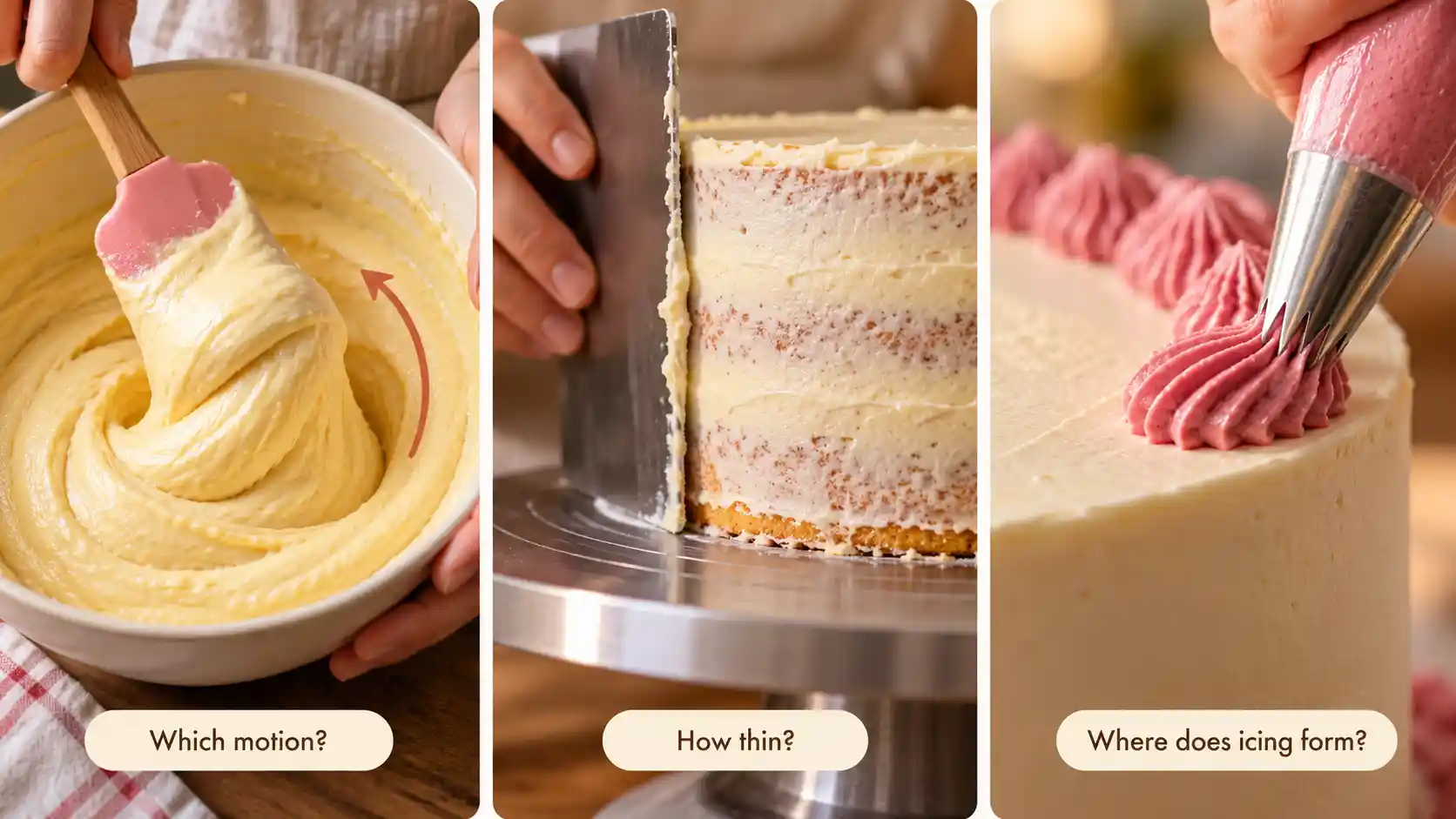
Folding batter: What movement should viewers follow?
For a recipe that calls for folding, frame the bowl so the spatula’s path is visible.
Prompt tip: Describe the spatula moving down the side, underneath the mixture, and lifting it over. Let the camera hold on that movement.
Avoid: Replacing folding with rapid whisking or showing a mixture that becomes fully combined without the utensil moving through it.
Crumb coating: How thin is the first layer?
Show the relationship between the scraper, cake surface, and small amount of frosting.
Prompt tip: Ask for a thin, even coating with some cake still faintly visible beneath it, while the scraper follows the surface.
Avoid: A thick final finish appearing instantly, frosting floating away from the blade, or cake edges changing shape.
Piping: Where does the decoration come from?
Keep the nozzle and the growing pattern in the same view.
Prompt tip: Describe the nozzle’s position, travel direction, and spacing. Request one short section of border before attempting a full circuit.
Avoid: Decorations appearing ahead of the nozzle or finished shapes changing after they have been placed.
Publish Lessons That Stand on Their Own
Give each clip a clear opening view, one instruction, and a visible endpoint. Add a short caption explaining the specific detail, with a link back to the recipe or longer lesson.
The same cake decorating tutorial video can support a class, a bakery’s customer questions, a social post, or a recipe page.
Keep the recipe version and technique name with the source files so you can update the right clips later.
Create Cake Promo Videos for Birthdays, Holidays, and Social Media
Give the cake a memorable reveal.
For a bakery promotional video, choose one visual hook and finish with an unobstructed product view.
Birthday Cakes: Reveal the Personal Detail

Focus on a custom topper, a distinctive color palette, or the slice that reveals the filling. A close-up can lead into a wider view of the complete cake.
💡 Prompt tip:
Identify the detail that matters, then describe how the camera reveals it.
Keep the cake’s structure and decoration tied to the reference photo.
❕ Avoid:
Unstable names, ages, or messages. Add important lettering in an editor and check it against the order details.
Halloween and Christmas Cakes: Let the Theme Frame the Product
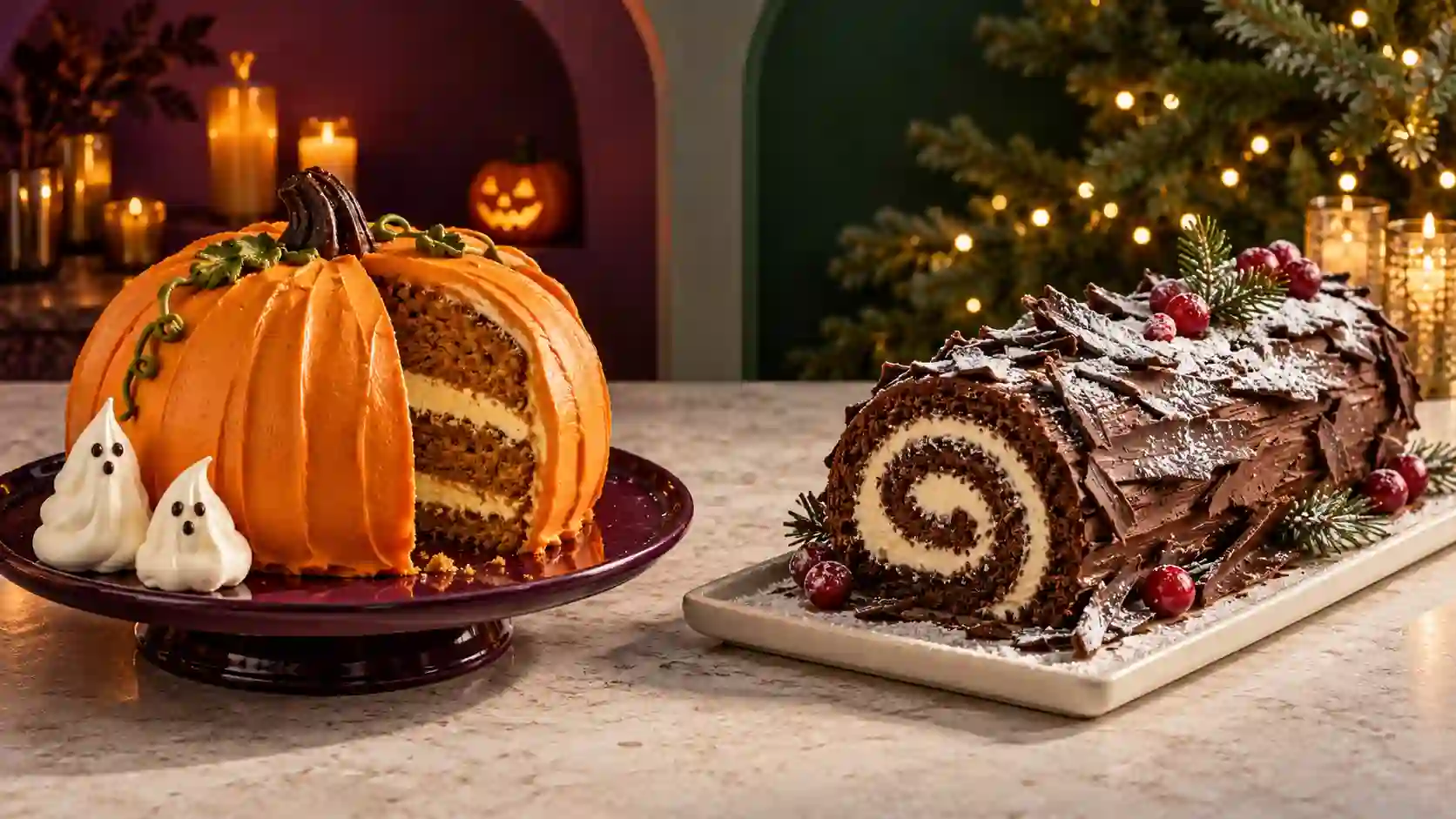
Try a Halloween cake with a small ghost topper and restrained violet accents, or a Christmas cake with piped evergreen details and warm background lights.
💡 Prompt tip:
Keep most seasonal props behind or beside the cake.
Use one reveal, such as a gift-box lid opening or a slow move from a decoration to the full cake.
❕ Avoid:
Decorations blocking the product, colored light changing the frosting’s apparent color, or a box intersecting the cake.
Personalized Cakes: Build a Shareable Creative Moment
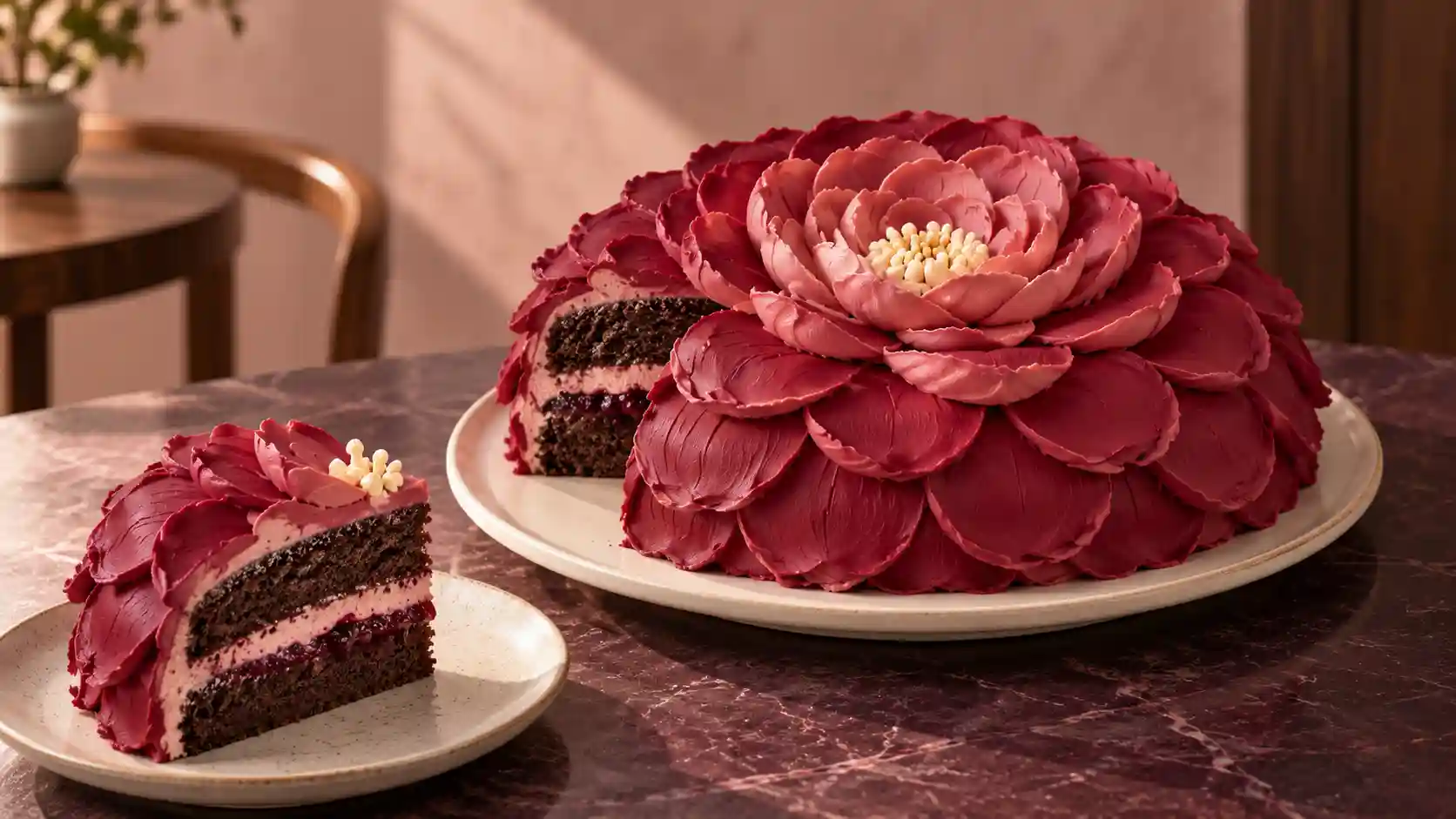
Use a hobby, pet, profession, or playful shape as the central idea. A recognizable detail gives viewers a reason to pause before the complete design appears.
💡 Prompt tip:
Separate the actual cake design from optional fantasy effects.
For a concept video, describe precisely where an effect begins and ends.
❕ Avoid:
Presenting an impossible animated feature as something included in a real cake order.
Add Baking ASMR with Purposeful Sound
Let the sound follow the action.
A baking ASMR video can focus on a whisk touching a bowl, a scraper smoothing frosting, or a knife moving through a finished slice.
Build the shot around one visible action and one foreground sound. Keep the kitchen ambience quiet, and reduce music when the utensil sound is the reason to watch.
💡 Prompt tip:
Name the material, contact, and rhythm: “A silicone spatula slowly scrapes thick frosting from a ceramic bowl, with soft, intermittent scraping sounds and no narration.”
❕ Avoid:
Continuous scraping when the utensil is lifted, crunchy sounds for a soft cake, or extra speech in a no-talking clip.
Review the full shot with headphones; native audio still needs a timing check.
Beyond Cake: Show How to Make Sushi with the Same Workflow
Keep the method, change the food.
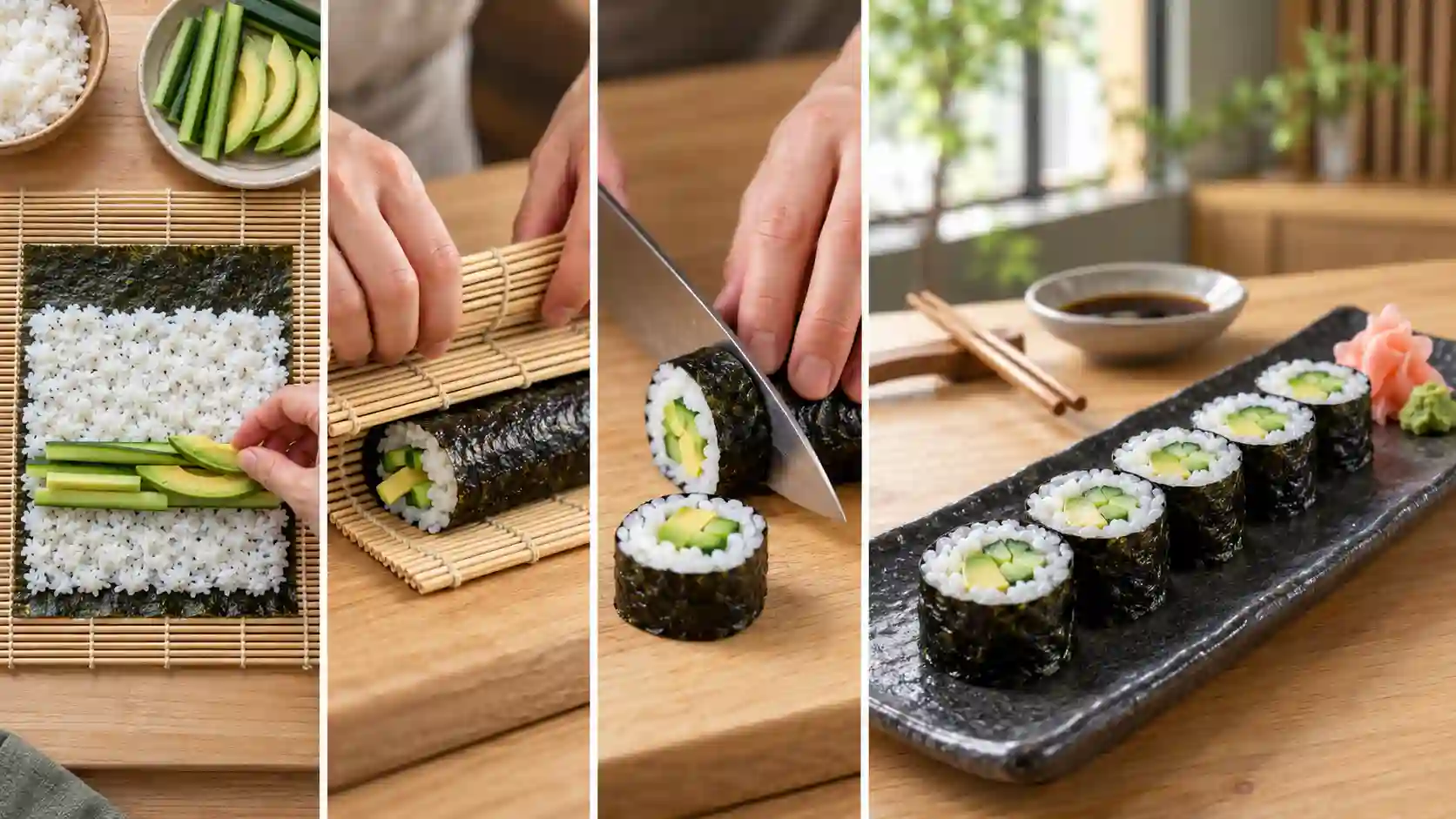
If you want to show how to make sushi, use the same approach:
prepare the ingredients
arrange the filling, roll, cut
and plate in separate clips
For a simple example, focus on rolling a cucumber-and-avocado maki rather than generating the entire process at once.
Prompt Example:
Show prepared nori, rice, cucumber, and avocado on a bamboo mat. In a steady close-up, the hands lift the near edge and begin rolling it forward over the filling. Preserve the ingredient positions and keep the mat outside the forming roll.
❕ Avoid:
A mat becoming part of the food, filling changing between shots, or sliced pieces revealing ingredients absent from the preparation.
Start Your Baking Video with MiniMax H3
Choose one cake and one action worth showing.
Create a short draft, approve the details, and build from there, whether your goal is a useful tutorial or a distinctive bakery promo.
Start Creating with MiniMax H3
MiniMax H3 Baking Video FAQs
Can MiniMax H3 create a complete cake tutorial in one generation?
A complete tutorial usually needs several clips. MiniMax H3 generates short videos; assemble the approved operations in an editor and add the recipe’s essential instructions.
Do I need to film myself to create an AI baking video?
No. You can begin with text and suitable images. A short recording is useful when you want to guide a particular hand movement or camera path.
Does an AI baking video prove that a recipe works?
No. Generated footage visualizes a process; it does not test ingredients, baking times, taste, or texture. Use a tested recipe and check the published instructions.
Should baking videos be vertical or horizontal?
Choose the framing that fits the action and destination. Vertical works well for social close-ups; horizontal gives wider operations more room. Keep hands, utensils, and the working area visible in either format.